
The ReSpace app
New rooms for a whole mix.
The ReSpace app opens a finished song and splits it into six parts. Give each part its own room, then export a new mix or the parts themselves.
Bring in a song
Open a song and press Process.
Drag a song onto the window, or choose it from your disk. ReSpace reads WAV, AIFF, FLAC, MP3, M4A and CAF files. Your original file is never changed. ReSpace works on a copy.
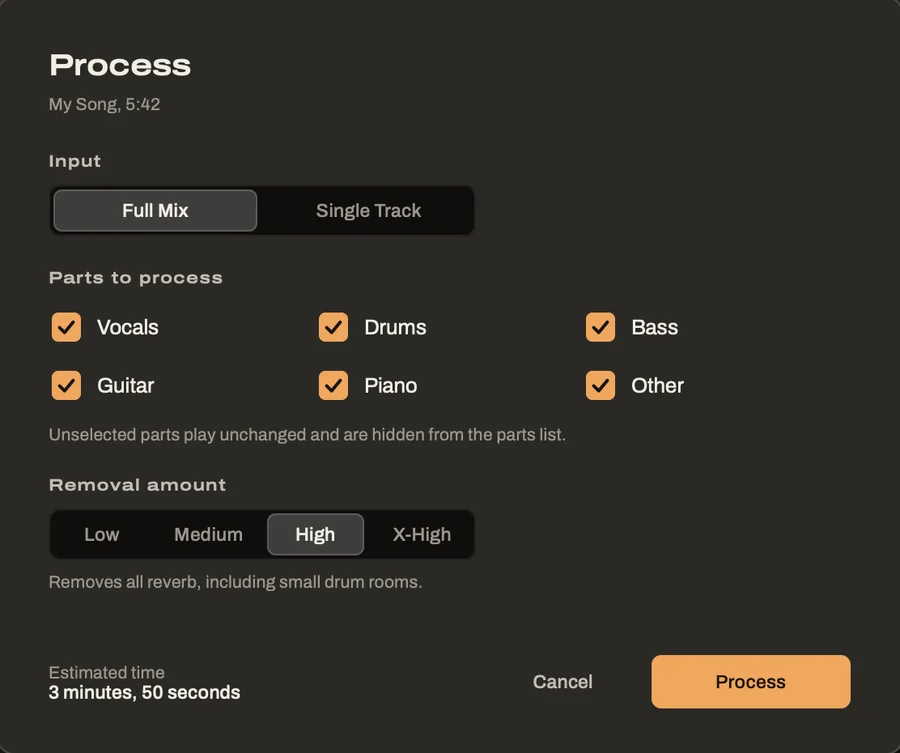
In the Process dialog, choose Full Mix for a finished song or Single Track for one instrument. Then pick the parts you want and how much reverb to remove. Before you start, the dialog also tells you how long processing will take on your computer.
Processing
Watch the song fill in.
While ReSpace works, the waveform lights up from the left. A box in the middle shows how far along it is and how much time is left.
When it's done, every part already has a room chosen for it. Press play, and you hear the song in its new rooms right away.

The parts
Every part in its own room.
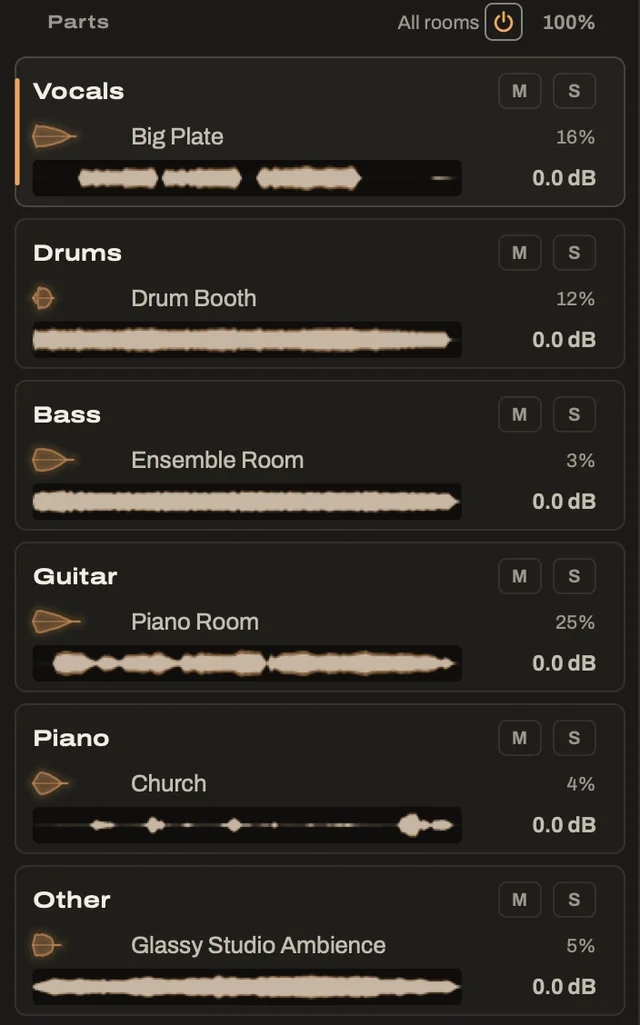
The parts are listed at the left of the window. Click one to edit its room, or press the number keys to jump between them.
Each row has its own level, mute and solo. At the top of the list, All rooms switches every room off for a moment so you can hear the dry parts. It can also make every room quieter or louder together, keeping the balance you've set between them.
Listen
Loop, zoom and compare.
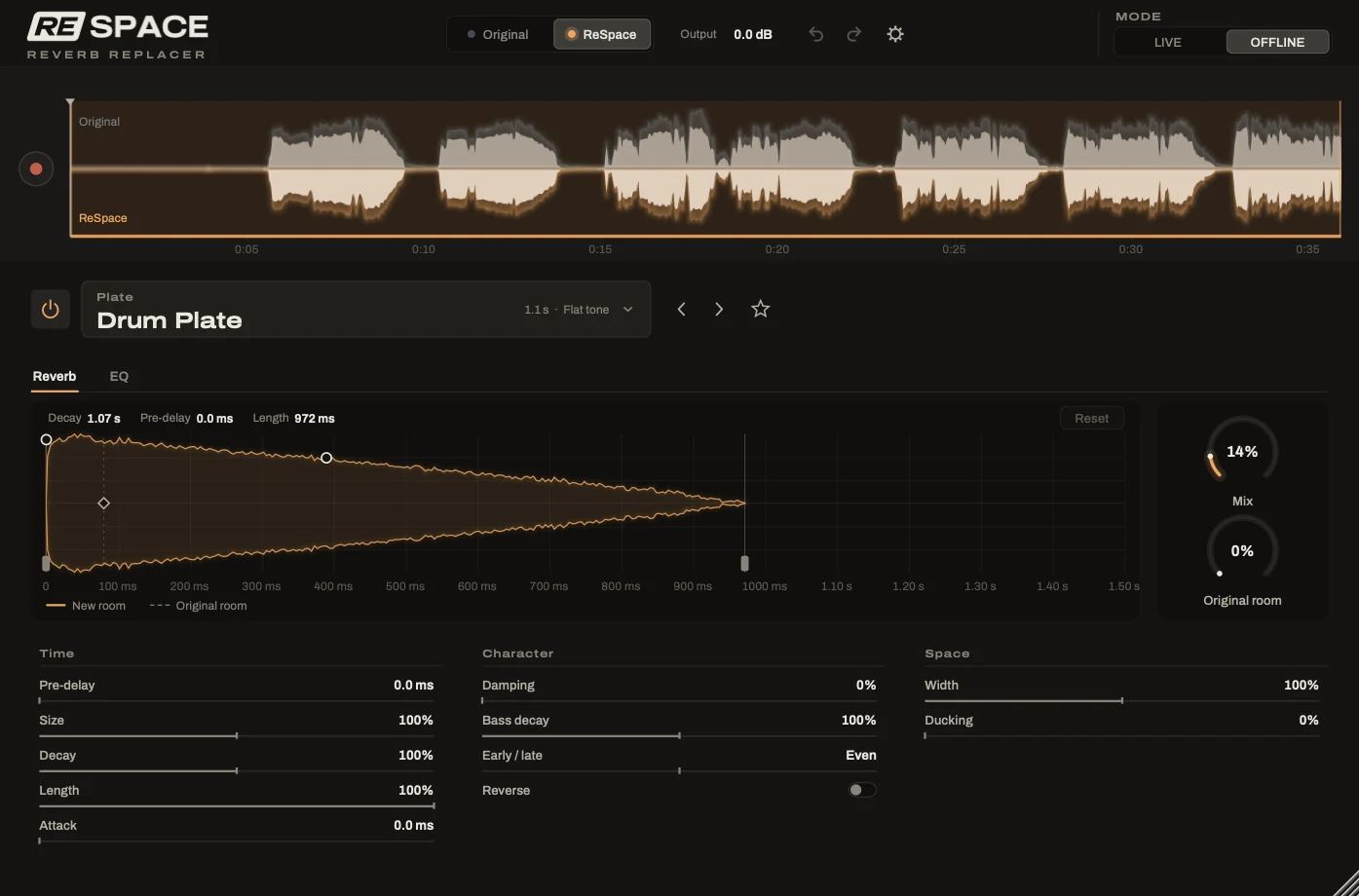
Drag across the waveform to loop a section. Playback loops without a gap, and the reverb carries over the loop point.
The waveform's top half shows the song as it was recorded and its bottom half the result. A single switch flips between the two while you listen.

Export
Export exactly what you need.
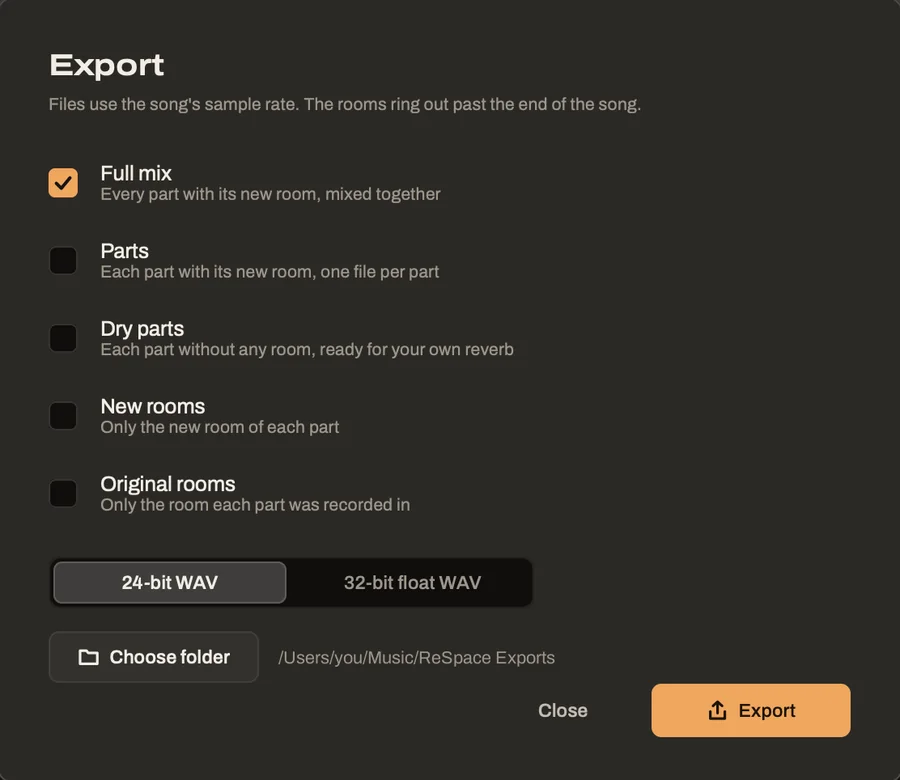
When the song sounds right, choose what to save. You can pick as many of these as you like in one go.
- Full mix gives you every part in its new room, mixed together.
- Parts saves each part with its new room, one file per part.
- Dry parts saves each part without any room, ready for your own reverb.
- New rooms holds only the new room of each part.
- Original rooms holds only the room each part was recorded in.
Files are saved as 24-bit or 32-bit float WAV, at the song's own sample rate.
Picks up where you left off
When you open the app again, the last song comes back with everything you did to it.
Single tracks too
Bring in a vocal, a drum bus or a guitar, and ReSpace treats it as one part with rooms suggested for that instrument.
Same editor as the plug-in
Everything you learn in the app carries over to ReSpace in your DAW, where the room editor works the same way.
Try ReSpace free for 7 days.
Every feature works during the trial, with a short beep every few seconds. Hear what ReSpace does for your own songs before you buy.